

A Tesla battery health check tells you how much energy the high-voltage battery can still store compared with when it was new. The car gives a first evaluation under Controls > Service > Battery Health, and an exact percentage comes from the built-in Battery Health Test, which takes up to 24 hours. If the number, the range or any alerts look suspicious, a workshop can also measure cell group voltages and isolation and read the BMS history.
Many owners judge the battery by how many kilometres the screen promises after a full charge. That figure is a prediction, not a measurement. In winter, or when the battery management system’s calculation has drifted away from reality, it can swing far more than the battery’s actual capacity.
Below we go through three ways to check: the car’s own evaluation, Tesla’s Battery Health Test and workshop measurements. We also explain when a loss of capacity is normal ageing and when it points to a fault.
Where the Tesla battery health check lives in the car
On newer Teslas the evaluation is on the touchscreen: Controls > Service > Battery Health. According to the Tesla owner’s manual, it is calculated from battery management system data and compared with the expected energy retention for the same battery type, age and usage. The feature needs a Wi-Fi or cellular connection, and not every car has it yet.
This screen is a good first step because it only takes a couple of taps. The exact percentage, however, only comes from a separate test. If the evaluation looks poor or does not match how the car drives, the logical next step is a full Tesla battery health check with the built-in test.
Battery Health Test: requirements and duration
During the test the car charges and discharges the battery in a controlled way and measures how much energy it really holds. Before you start, Tesla’s requirements must be met:
- the car is plugged into an AC charger that supplies at least 5 kW;
- the battery is below 20% charge;
- the car is in Park;
- there are no pending software updates;
- there are no active battery (BMS) or thermal (VCFRONT) alerts on the screen.
The test takes up to 24 hours. During that time the battery is discharged below 10%, sometimes as low as 0%, the screen is off for parts of the test, and Sentry Mode and climate control do not work. The car may get warm and the fan may run loudly. Do not unplug the cable mid-test; cancel the test on the screen first if needed. Tesla recommends running it only if you have a real concern about energy retention.

What the battery health percentage means
The percentage shown at the end reflects the battery’s energy retention compared with a new battery. If a Tesla battery health check shows 88%, for example, the pack holds roughly 12% less energy than when it was new. After the test the car may recalibrate its range estimate. With a data connection, it also judges from the delivery date and mileage whether the result is as expected.
Some wear is normal. According to Tesla’s own figures, Model S and Model X batteries lost about 12% of their capacity on average after 200,000 miles, or about 320,000 km (Electrek). The battery warranty promises at least 70% capacity over eight years and a mileage limit that depends on the model.
The percentage is still an average for the whole pack. It does not show whether one cell group is weaker than the rest or whether moisture has got inside. So a good result does not mean the Tesla battery health check is finished.
Why the range estimate misleads
The kilometres on the screen are calculated from the estimated state of charge and an average consumption figure. Tesla itself warns against relying on range estimates, because range can drop faster than projected due to temperature, driving style, wind and settings such as Sentry Mode. In an Estonian winter a lower number is normal and says little about wear; that is a job for a Tesla battery health check, not for the range display.
The second reason is estimate drift. For cars with an LFP battery, Tesla recommends charging to 100% at least once a week, as this helps the car determine charge level and range more accurately. An extreme example is the Tesla Model S 85 we had in our workshop: the BMS reported 95% charge, but the pack measured about 50 V instead of the expected almost 400 V.
What a workshop check adds
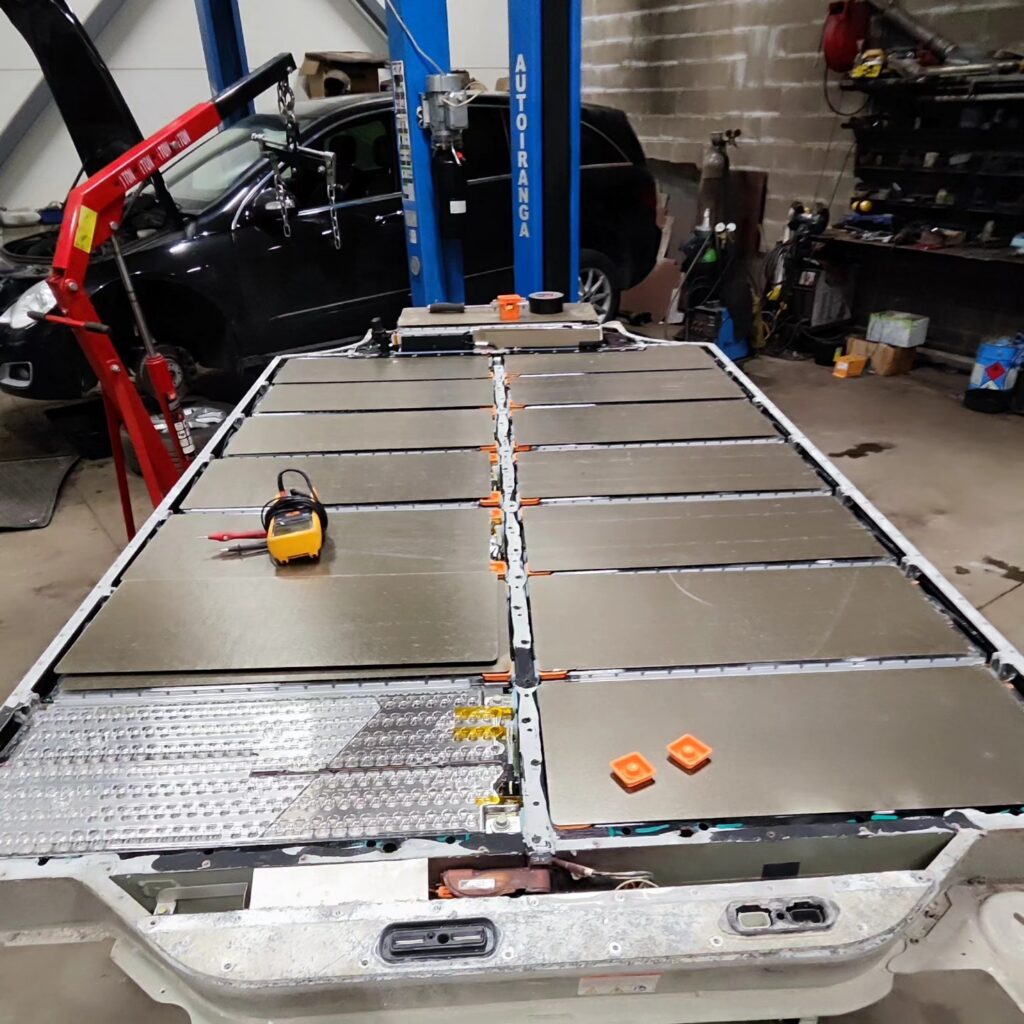
On the car’s screen a Tesla battery health check comes down to a single evaluation. In the workshop we read the data behind it with Tesla’s licensed Toolbox 3 diagnostic equipment and can see whether the problem is even ageing or a specific fault. You can read more about the process on our diagnostics page.
Cell group voltages
The battery is made of cell groups connected in series. A Model S 85 pack, for example, has 16 modules and 96 groups in total. We compare group voltages and calculated capacities: if one group clearly lags behind the others, it limits the usable energy of the whole pack, even if the average looks fine.
Isolation
The high-voltage system has to be electrically isolated from the body. If isolation drops, the car raises a BMS alert and may limit charging or driving. Isolation alert counters and their history can point to moisture in the pack or in the high-voltage wiring.
BMS history
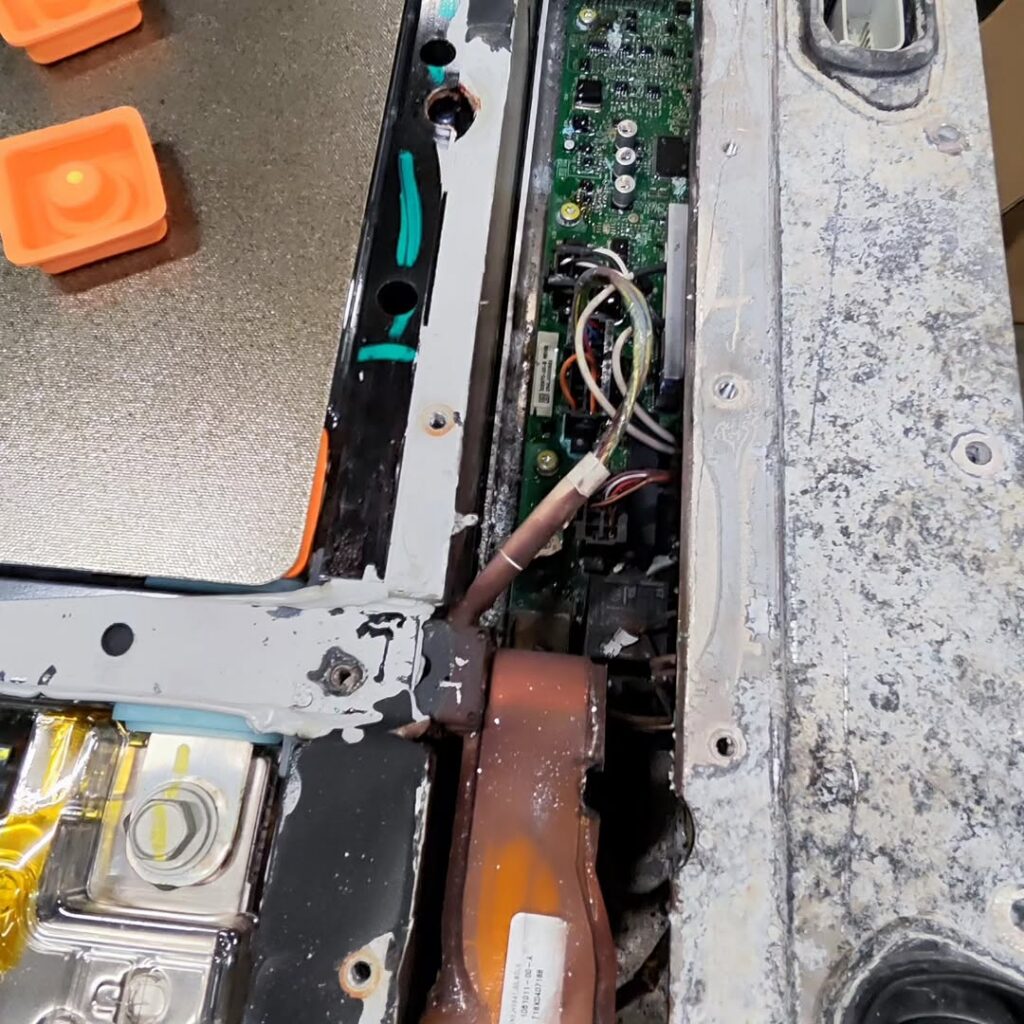
The car also stores alerts that are no longer shown on the screen. We check whether the battery has ever been completely empty, whether there have been contactor or capacity problems and how often alerts repeat. If needed, we also inspect the underside of the pack on a lift for impacts and corrosion.
When to get a Tesla battery health check
It makes sense to check the battery before buying a used Tesla, when range drops suddenly in warm weather, when a BMS alert appears and after a hard hit to the underside. Another good moment is before the eight-year battery warranty ends: if capacity is below 70%, you want to find out while the warranty still applies.
When buying a used car, a test that can take a full day is not realistic during a test drive, because the battery has to be below 20% and the car has to stay plugged in. Ask the seller to run the test in advance and show you the result, or agree that the car is brought to a workshop before the sale so the battery data can be read.
Frequently asked questions
How often should I run the Battery Health Test?
Only when there is a reason for concern. The test runs the battery down to almost zero and takes up to a day. Once completed, it cannot be repeated until the battery management system detects a big enough change in the battery.
Is a Tesla battery health check result of 85% bad?
Not necessarily. Age and mileage matter: the car itself judges whether the result is as expected. A sudden drop over a short time is more worrying, as is capacity approaching the 70% warranty threshold within the eight years.
Why does my range drop in winter?
In the cold, energy goes into heating the battery and the cabin, and a cold battery gives up its energy less readily. This is temporary. The battery is not wearing out just because the screen shows fewer kilometres in January than in July.
Can I check the battery without going to Tesla?
Yes. An independent workshop with Tesla diagnostic equipment can read the same BMS data and alerts. At ServiceMode, diagnostics start from €150 (prices exclude VAT).
If you need a Tesla battery health check, book diagnostics at our workshop in Peetri, about 5 minutes from Tallinn Airport. If we find a weak module or another fault, we will explain the battery repair options. Call +372 5851 0695, email info@servicemode.ee or see our contact details.