

Tesla diagnostics means reading the car’s alerts and control unit data with Tesla’s own software. A generic OBD reader is of little use on a Tesla, because Tesla’s diagnostic software connects to the car through a diagnostic Ethernet cable. We use Tesla’s licensed diagnostic equipment, Toolbox 3, read and clear fault codes, and diagnostics start from €150.
Below we explain why a generic reader does not help, what Tesla fault codes mean, what Toolbox 3 can see, how a diagnostic visit works and when you should come in straight away.
Why a generic OBD reader does not work on a Tesla
The OBD standard, EOBD in Europe, was created to monitor emissions. In the EU it has been mandatory for petrol cars since 2001 and for diesel cars since 2004, and only emission-related data has to be transmitted. An electric car has no exhaust, so a generic reader looking for engine and emission faults finds nothing useful in a Tesla.
Tesla’s own diagnostic software needs a laptop connected to the car with a diagnostic Ethernet cable. The cable and the connector location depend on the model. Third-party tools exist, but the diagnostic process Tesla recommends is built on its own software. So do not take comfort in a cheap reader finding no faults while an alert is showing on the screen.
What Tesla fault codes mean
The car shows alerts on the touchscreen, and the “Troubleshooting Alerts” chapter of the owner’s manual explains many of them. Each alert name starts with the abbreviation of the system: for example, BMS stands for the battery management system, DI for the drive inverter and CP for the charge port. A few examples from Tesla’s owner’s manual:
- BMS_a027: the high voltage system’s electrical isolation has dropped below the acceptable threshold across multiple drives, power is limited and the car may not restart after the drive.
- VCFRONT_a180: the electrical system cannot maintain the voltage needed for all features, and the car may shut down unexpectedly.
- DI_a116: the motor’s drive inverter reset; it is OK to drive, but you may feel a brief shudder.
- CP_a004: the charge port cannot detect whether a cable is inserted or what type it is.
The same alert can have several causes, so Tesla fault codes are only the start. The manual gives general advice, but finding the cause means looking at when the alert appeared, what came with it and what the system data shows. We cover battery alerts separately in our article on the Tesla BMS error.

Toolbox 3 and Service Mode: the tools behind Tesla diagnostics
Every Tesla has a free Service Mode that runs on the touchscreen and shows recently raised alerts with a troubleshooting description. Tesla recommends starting there. If the cause is still unclear, the next step is Toolbox: Tesla’s diagnostic software, which independent workshops use under a licence from Tesla.
With Toolbox you can view vehicle information, run commands and tests, and put the car into Service Mode Plus, an advanced diagnostic mode that includes a live CAN viewer. Toolbox also contains Tesla’s knowledge base, where the alert name brings up a description, possible causes and repair guidance.
That is what makes Tesla diagnostics precise. We do not just look at the latest message on the screen; we see which system logged the fault, which alerts have appeared recently and how the system responds to a test. Tesla itself can see some data through remote diagnostics, but an independent workshop always needs a physical connection to the car.
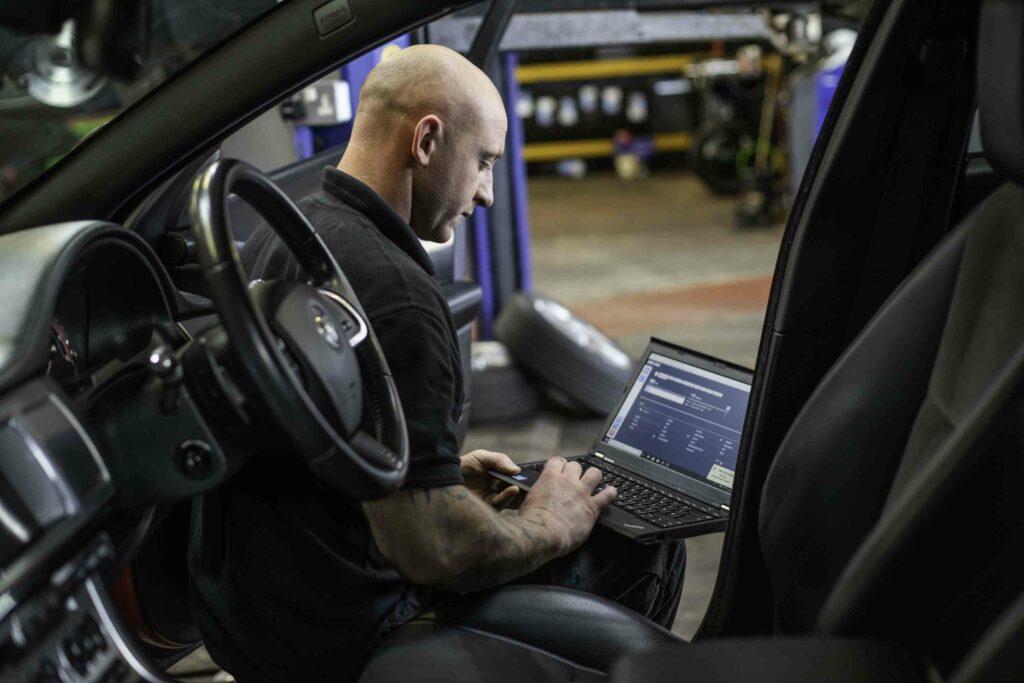
What a diagnostic visit includes
Tesla diagnostics usually go like this:
- We listen to when and how the problem appears and go through the alerts on the screen.
- We connect Toolbox 3 and read the fault codes and recent alert history from all systems.
- We look up the alert description and possible causes in Tesla’s knowledge base and run the tests needed.
- We also check suspect parts physically: connectors, wiring, moisture and corrosion.
- We explain what we found and agree on the repair before any work starts.
Diagnostics and electrical work start from €150 on our price list, and reading and clearing fault codes also from €150, excluding VAT. We use original Tesla parts and follow Tesla Service protocols. If the fault is in the wiring or electronics, the repair can be done in the same workshop as electrical work. More details on our diagnostics service page.
Clearing a fault code is not a repair
Tesla fault codes can be cleared with Toolbox, but if the cause is still there, the alert comes back. Clearing makes sense after a repair or when the alert was caused by a one-off external factor. For many alerts, the owner’s manual advises booking service if the alert persists across multiple drives or appears more and more often.
The opposite situation is risky too. If an alert disappears on its own, that does not always mean the fault has gone. BMS_a027, for example, only appears after the isolation has dropped across several drives, and these repeating patterns are exactly what Tesla diagnostics pick up from the alert history.
When to get Tesla diagnostics straight away
Come in straight away if the screen reports limited power, says the car may not restart, or that the electrical system cannot maintain voltage. The same applies if the car will not charge from any charger, an alert repeats on every drive, or several alerts appear at once.
A single driver-assistance alert with an obvious cause can wait. APP_w207, for example, says Autosteer is temporarily unavailable, often because of bad weather, faded lane markings or a dirty camera. If the alert does not clear on the next drive and you find no obstruction, book a visit.
Before the visit, note the exact alert name, such as BMS_a027, the date and time, speed, weather and road conditions, and take a photo, video or sound recording if you can. Tesla’s owner’s manual asks owners to give the same details to Tesla Service, because they help find the cause faster.

Frequently asked questions
Can Tesla fault codes be read with a normal OBD reader?
Not in any useful way. The OBD standard is designed for emission data, and Tesla diagnostics are done with Tesla’s own software, connected to the car with an Ethernet cable. Some third-party apps show individual readings, but they do not replace Tesla’s alert explanations and tests.
Does clearing Tesla fault codes fix the problem?
No. Clearing removes the message, not the cause. If the fault is still there, the alert will come back, and the problem may get worse in the meantime. Clear codes after a repair, or when you are sure the cause was a one-off.
How much do Tesla diagnostics cost?
On our price list, diagnostics start from €150 and reading and clearing fault codes also from €150, excluding VAT. The final amount depends on how many tests and checks it takes to find the fault.
Can diagnostics be done on every Tesla model?
Yes. We carry out diagnostics, maintenance and repairs on Model S, Model X, Model 3 and Model Y. The diagnostic cable and connector location depend on the model, so we connect each car with the cable that suits its model.
If there is an alert on the screen or the car behaves differently than before, book Tesla diagnostics with us. We are in Peetri at Tähnase 1, about 5 minutes from Tallinn Airport, open Monday to Friday from 9:00 to 18:00. Call +372 5851 0695, email info@servicemode.ee or use the contact form.